User testing is one of the most reliable ways to improve conversions, enhance overall user experience, and validate whether your website or product actually supports how customers think and behave. And today, teams have more options than ever: in-person user testing and remote user testing.
Both can deliver powerful insights but they serve very different purposes.
Choosing the right approach isn’t just a UX decision. It directly impacts your conversion rate optimization (CRO) strategy, product roadmap, research budget, and ultimately the ROI of your digital experience. At KARL Mission, we run both in-person and remote studies for clients across ecommerce, SaaS, travel, nonprofit, and B2B so we see first-hand how different methods shape the quality of insights.
This guide breaks down everything you need to know: definitions, pros, cons, use cases, limitations, costs, timelines, and when to use each method.
What Is User Testing? A Quick Refresher
User testing involves observing real users as they try to complete tasks with your website, app, or product. The goal is to uncover friction, confusion, or unmet expectations so you can fix issues before they cost you customers.
Some of the most common objectives include:
- Increasing conversions
- Improving navigation and ease of use
- Validating whether your website content is understood
- Optimizing product pages
- Reducing bounce or drop-off
- Supporting A/B testing hypotheses
- Identifying accessibility or readability issues
In-Person vs. Remote User Testing
Before we dive deeper, here’s the simplest way to differentiate the two:
In-Person User Testing
Users come into a physical venue, typically a research lab, office, coworking space, or client site, while a facilitator observes behavior in real time.
Best for:
- Deep behavioral insights
- Complex interactions (e.g., booking flows, B2B dashboards, onboarding processes)
- Physical products or multi-device setups
- Eye tracking or motion analysis
Remote User Testing
Users participate from anywhere using their own device. Sessions can be moderated (live) or unmoderated (recorded tasks completed without a moderator).
Best for:
- Scalable, fast insights
- Cost-effective research
- Testing across different browsers/devices
- Real-world, natural usage environments
Pros and Cons of In-Person User Testing
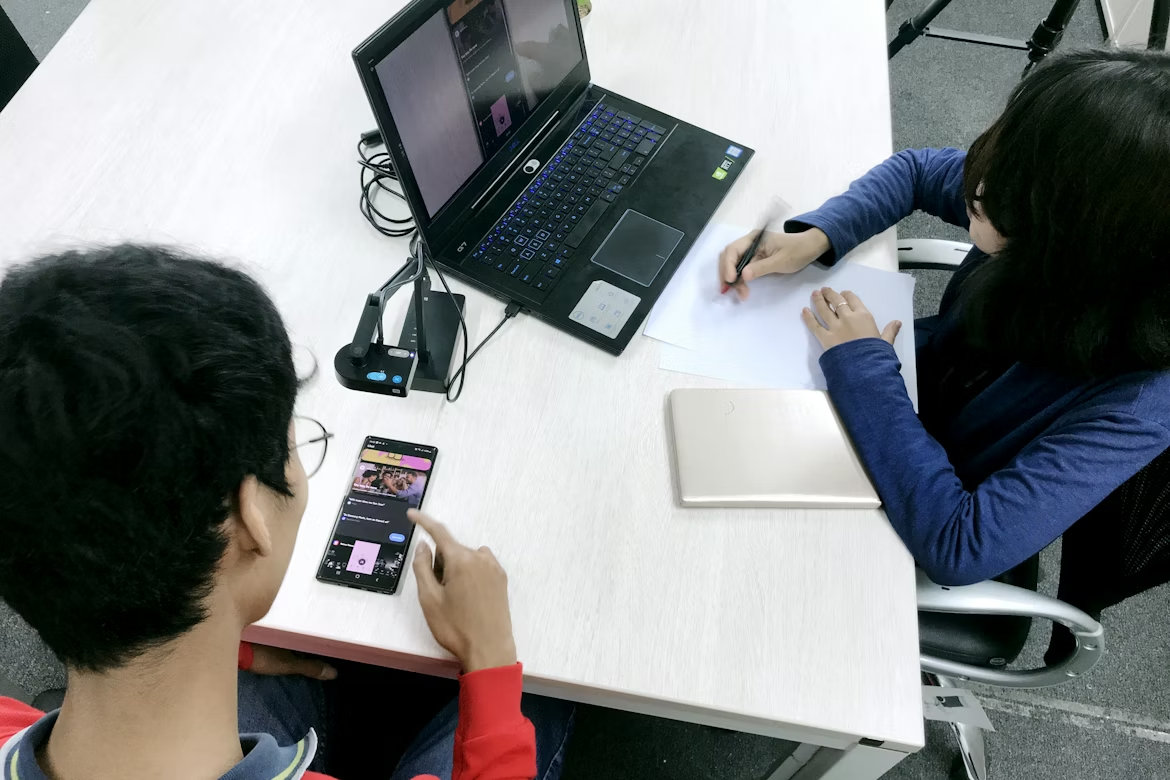
In-person testing gives teams the advantage of direct observation, making it especially useful for uncovering subtle behavior patterns that remote testing may miss.
Pros of In-Person User Testing
1. Rich, Behavioral Insights You Can’t Get Remotely
In-person testing gives you access to layers of human behavior that remote tools simply cannot capture. When you’re in the same room as a participant, you’re able to observe the full cognitive and emotional journey behind a task, not just what they click.
You can see:
- Body language shifts when instructions feel confusing
- Micro-hesitations before clicking an element that doesn’t feel intuitive
- Facial tension or relief during friction points or successful completions
- Hand gestures or fidgeting, which often correlate to mental load
- Eye movement patterns, showing what users actually notice first
- Non-verbal reactions, such as sighs, leaning forward, or disengaging
These subtle behaviors can reveal deep UX and CRO opportunities that users won’t articulate verbally. For example:
- A slight pause before the “Book Now” button may signal poor clarity or weak affordance.
- Repeated back-and-forth glances between fields can highlight uncertainty about requirements.
- Eye-tracking reveals whether your key selling point is actually seen or completely ignored.
When optimizing complex funnels like checkout journeys, booking flows, and sign-up processes, these insights become invaluable. They help you identify friction points before data ever shows the consequences (like abandonment, drop-offs, or low conversions).
2. Fewer Technical Issues
Remote studies introduce unpredictable technical variables like device limitations, browser quirks, operating system inconsistencies, lag, audio issues, and more. In-person testing eliminates nearly all of these.
Participants work within:
- A controlled testing setup with consistent hardware
- Reliable, high-speed internet
- Stable screen recordings and audio capture
- Calibrated equipment, ensuring clear data
- Single-environment variables, making patterns easier to interpret
This creates an optimal environment for:
- running prototype tests
- evaluating early-stage UX flows
- testing interactions that require precision
- capturing high-quality video and audio
It also drastically reduces session interruptions or retests, ensuring your timeline and insights remain clean and actionable.
3. Ideal for High-Stakes Redesigns
When a project involves mission-critical user flows, in-person testing is often the gold standard. These are scenarios where even small usability issues can lead to lost bookings, failed applications, abandoned carts, or misinterpreted content.
Industries where we most often recommend in-person testing:
- Travel & Airlines - complex multi-step booking flows
- Banking & Finance - secure authentication, onboarding, form-heavy processes
- Healthcare - appointment booking, test results, telehealth portals
- Education & eLearning - dashboards, multi-user flows, complex navigation
- Nonprofits - donation journeys, advocacy flows
- Ecommerce - checkout funnels and mobile purchasing flows
Because these journeys often involve multiple steps, high cognitive load, or unfamiliar UX patterns, observing users up close reveals the nuances that analytics alone cannot.
4. Better Control and Facilitation
In-person sessions allow moderators to step in at exactly the right moment, creating richer qualitative insights.
Moderators can:
- Ask follow-up questions (“I noticed you hesitated here… can you tell me why?”)
- Redirect participants without disrupting their natural flow
- Pause and unpack mental models or assumptions
- Probe surprising behaviors with deeper context
- Clarify intentions behind actions or comments
- Use advanced tools like eye-tracking, hand tracking, heat mapping sensors
Because the moderator has control over the environment, user tasks run more smoothly and insights become more reliable. It results in more actionable insights and stronger confidence when making UX and CRO decisions.
5. Useful for Testing Multi-Device Journeys
One of the biggest limitations of remote testing is the inability to accurately evaluate cross-device behavior. In-person environments solve this by allowing you to recreate real user scenarios:
- Mobile → desktop conversion, common in travel and ecommerce
- QR code scanning, used in retail, events, and e-learning
- App + website interactions, where users switch between platforms
- Physical-to-digital workflows, like scanning forms or receipts
- In-store or on-site tasks, where context matters
Trying to replicate these journeys remotely introduces too many variables. In-person studies let you control transitions, observe behavior, and capture the real friction that occurs when switching devices.
Cons of In-Person User Testing
1. Higher Cost
In-person research requires a higher level of investment than remote studies. Costs typically include:
- Facility rental or lab space
- Participant recruitment + incentives
- Moderator and observer time
- Travel for team members or participants
- Equipment setup (recording tools, cameras, devices)
- Transcription, analysis, and reporting
For enterprise teams, these costs are often justified by the depth of insights gained. But for early-stage businesses or smaller projects, it may be challenging to run frequent in-person sessions.
2. Smaller Sample Sizes
Due to higher costs and longer scheduling periods, in-person studies usually include:
- 5-12 participants for qualitative studies
- up to 20-30 for larger research cycles
This is still strong for uncovering UX issues since many emerge with the first 5-7 participants, but it limits:
- demographic diversity
- device variety
- geographic representation
- volume of behavioral patterns
This is why many teams combine remote at scale with in-person depth.
3. Longer Timelines
Running in-person sessions requires more coordination, including:
- recruiting participants
- scheduling time slots
- securing the testing facility
- preparing devices and prototypes
- ensuring stakeholders can attend
A typical in-person cycle may take 1-3 weeks, compared to 24-72 hours for remote tests. For teams in sprint cycles or rapid design environments, this can slow down iteration.
4. Not a Real-World Environment
Even with a comfortable setup, participants still know:
- they’re being watched
- they’re in an artificial setting
- their behavior is being recorded
- they may feel pressure to “perform well”
This can introduce the observer effect, where participants act differently simply because someone is present.
Examples include:
- navigating more slowly or cautiously
- over-verbalizing their thought process
- trying to “please” the facilitator
- avoiding showing confusion
- skipping natural distractions
For tests requiring natural conditions like browsing habits, mobile use, multitasking, remote methods may produce more authentic behavior.
Pros and Cons of Remote User Testing

Remote testing has exploded in popularity and for good reason. It’s cost-effective, fast, and easy to scale.
Pros of Remote User Testing
1. Faster Insights and Rapid Iteration
Remote testing dramatically accelerates the research process. You can:
- launch a study within minutes
- recruit participants within hours
- receive video feedback the same day
- iterate on designs immediately
- validate A/B test hypotheses quickly
- run weekly or bi-weekly CRO testing cycles
For teams working in agile environments or running ongoing optimization programs, speed is a major advantage. This is why remote testing is commonly used in tandem with CRO workflows and A/B testing programs.
2. More Affordable and Accessible
Remote testing eliminates the majority of overhead costs associated with in-person sessions:
- no venue rental
- no travel
- no equipment setup
- minimal prep time
Your primary costs become:
- user testing tool subscriptions
- participant incentives
- moderator time (if moderated)
This makes it easier for startups, nonprofits, and small-to-medium businesses to access high-quality insights without requiring large research budgets.
3. Larger Sample Sizes
Because remote testing is cheaper and faster, you can recruit:
- more participants
- across more demographics
- across more locations
- using more device types
This leads to stronger:
- validation
- pattern recognition
- cross-segment insights
- data reliability
Remote testing is especially powerful when paired with quantitative data like heatmaps or analytics, as you can quickly validate hypotheses at scale.
4. Participants Use Their Own Devices
This is one of the biggest advantages of remote testing. Instead of testing in a controlled environment, you see how your site performs:
- on outdated Androids
- on older iPhones
- on slow Wi-Fi
- on laptops with small screens
- on ultra-wide monitors
- across different browser versions
This gives you a much more accurate understanding of real-world friction, including:
- lag
- rendering issues
- layout shifts
- usability problems unique to certain devices
Great remote testing often reveals issues that developers never see in controlled environments.
5. Easy to Recruit Niche Segments
Remote platforms make it significantly easier to find:
- B2B decision makers
- students or educators
- parents
- seniors
- Gen Z or Gen Alpha audiences
- niche hobbyists or professionals
- multilingual participants
- people with accessibility needs
- users in specific geographic regions
Recruiting these groups for in-person studies can be time-consuming and expensive. Remote testing unlocks access to broader representation and more inclusive feedback.
Cons of Remote User Testing
1. Lower Level of Behavioral Insight
Remote testing allows you to observe what users do, but not always why they do it. You lose access to important non-verbal cues like posture changes or facial reactions.
Participants may also verbalize less or multitask during sessions, reducing the clarity of insights.
2. Technical Issues Happen
Because participants use their own devices, remote testing introduces variables you can’t predict:
- weak Wi-Fi
- outdated browsers
- incompatible extensions
- audio issues
- screen-sharing struggles
- device throttling
These issues can distort the test results or interrupt the session entirely. Moderators must be prepared to troubleshoot tech issues in real time.
3. Limited Control
Facilitators cannot control the participant’s environment, meaning:
- lighting may be poor
- background noise may interfere
- participants may get distracted
- devices may have cluttered screens
- notifications may interrupt tasks
This reduces the consistency and cleanliness of your data.
4. Not Ideal for Complex or Multi-Device Tasks
Remote tools perform well for simple, single-device tasks but struggle when flows involve physical or environmental interactions.
Remote testing becomes challenging for:
- in-store interactions
- product packaging or unboxing
- device scanning
- physical workflows
- QR code-based journeys
- app + desktop transitions
- scenarios requiring observation of real-world context
In these cases, in-person sessions are significantly more accurate and useful.
When to Use In-Person User Testing
1. When You're Undergoing a Full Website Redesign
In-person testing is especially powerful during full website redesigns, where you’re not just tweaking a few pages, but rethinking the entire user journey.
In these scenarios, you’re often redesigning:
- information architecture (sitemap, navigation, labels)
- page templates and layouts
- content hierarchy and messaging
- key funnels (sign-up, bookings, checkout, donations, inquiries)
Because the potential impact, good or bad, is so large, in-person testing gives you:
- high-fidelity insight into how users understand your new structure
- early warning signs if users can’t find core actions (e.g., “Book a flight,” “Start quote,” “Donate,” “Add to cart”)
- clarity on whether new UI patterns are intuitive before they go live
If you’re in the early stages of a redesign, it’s the ideal moment to integrate user testing into your process. Running in-person sessions alongside your UX & UI Design work helps validate structural decisions early, ensuring your new experience is intuitive, clear, and aligned with how users naturally navigate your content.
2. When Testing Physical Products or Multi-Device Interactions
If your experience lives partly in the physical world, in-person testing becomes almost non-negotiable.
Examples include:
- scanning a QR code on packaging to open a landing page
- using a mobile app in combination with an in-store kiosk or desktop flow
- unboxing a physical product and registering it online
- checking in at a venue using both an email and app
- onboarding flows that start on mobile and continue on desktop
Remote tools struggle to accurately capture how users move between devices or physical and digital touchpoints. In-person testing allows you to:
- watch the exact sequence of actions users take
- see where they instinctively look first (label, email, signage, app)
- understand real-world context (lighting, noise, motion, distractions)
- capture moments of confusion that wouldn’t show up in screen recordings
If your product or service spans both offline and online experiences, in-person sessions will surface issues that pure digital testing will miss.
3. When Insights Must Be Highly Accurate
There are some flows where small UX problems have outsized business impact. In these cases, you want the most reliable insights possible.
Examples include:
- Checkout redesigns - A confusing field label or error message can directly reduce revenue.
- Onboarding optimization - Poorly explained steps can lead to churn before users experience value.
- Platform migrations - When moving users from one system to another, you need to ensure they understand the new interface.
- App flow validation - Especially if your app supports critical tasks (e.g., finance, health, travel).
In-person testing is valuable here because:
- a facilitator can probe deeply into “why” users hesitate or abandon
- you can validate not just task success, but confidence and trust
- stakeholders gain a much clearer view of risk before launch
If you’re planning changes that will affect core revenue, onboarding, or compliance flows, in-person testing can provide the evidence you need to make decisions with confidence.
4. When Stakeholders Need to See Behavior First-Hand
Sometimes the barrier to better UX isn’t lack of data, it’s lack of buy-in.
Bringing stakeholders, product owners, marketers, or founders into an observation room (or having them watch live sessions) can:
- make usability issues feel undeniably real
- shift conversations from “Is this a problem?” to “How quickly can we fix it?”
- reduce opinion-driven debates and internal bias
- align teams around a user-first roadmap
There’s a big difference between telling a stakeholder, “Users struggled to find the CTA,” and having them watch a real person say, “I don’t know where to click to get started.”
In-person testing is one of the fastest ways to build empathy and momentum. For high-impact projects or skeptical teams, this alone can justify choosing in-person over remote.
When to Use Remote User Testing
1. Rapid Iteration in Agile or CRO Programs
If your team works in sprints or runs ongoing CRO experiments, remote testing is usually the only scalable option.
Use remote testing when:
- you need weekly or biweekly insights
- you’re iterating on landing pages, messaging, or UI tweaks
- you’re running A/B tests and want qualitative insight into why one variant outperforms another
- you’re refining micro-interactions or smaller UI components
Because remote testing is faster and lighter to set up, you can:
- plug it into your ongoing experimentation roadmap
- validate ideas before development
- quickly test copy, layouts, or flows before committing to full builds
2. Early Prototypes or Wireframes
Remote testing is ideal for early-stage design validation, especially when you’re working with:
- low-fidelity wireframes
- mid-fidelity clickable flows
- content-first prototypes
- navigation and IA concepts
At these stages, the goal isn’t pixel-perfect visual design, it’s understanding:
- Do users understand what this page is for?
- Can they find the actions we need them to take?
- Does the proposed structure match how they think?
- Are there any major blockers or confusing steps?
Because remote testing is faster and more affordable, you can run multiple rounds as your designs evolve.
3. Testing with Hard-to-Reach Audiences
For many businesses, the ideal users are niche or highly specific user groups. Getting these people into a lab or physical location can be time-consuming, expensive, and logistically unrealistic.
Remote user testing dramatically reduces that friction. You can:
- recruit participants from different countries or time zones
- schedule sessions at times that work for them
- test on the devices they actually use
- reach very specific audience segments without physical constraints
This is particularly useful when your product or service aims to scale internationally or across multiple verticals.
4. Budget Constraints
Not every project has the budget for in-person research and that’s okay. Remote testing offers a high return on insight per dollar.
It’s often the best choice when:
- you’re an early-stage startup
- you’re running multiple tests per quarter
- you need to stretch your UX/CRO budget
- you’re prioritizing speed and volume of feedback over observational depth
Instead of funding a single in-person study, you might run:
- several smaller remote tests over time
- one unmoderated test per major release
- ongoing usability checks as part of your product cycles
This approach allows you to keep learning continuously, rather than saving research for only the “big moments” when budget allows.
Moderated vs. Unmoderated Remote Testing
Remote user testing exists on a spectrum, with moderated and unmoderated formats offering very different strengths. Understanding when to use each one can make your research far more efficient and cost-effective.
Moderated Remote Testing
Moderated sessions are the closest remote equivalent to in-person testing. A facilitator joins the participant in real time, usually via Zoom or a dedicated user testing platform, and guides them through the tasks. This creates a more conversational experience, where the moderator can probe deeper into the participant’s reasoning, ask clarifying questions, and explore unexpected behaviors as they arise.
Moderated testing shines when the journey you’re evaluating is complex, multi-step, or emotionally loaded. For example, if you're testing a multi-screen booking flow, a long application process, or a B2B onboarding journey with several decision points, having a facilitator observe the user’s reactions in real time makes a huge difference. Moderated sessions also tend to surface qualitative insights that are hard to capture through purely task-based or clickstream data.
Another major advantage: moderated remote testing works exceptionally well for B2B platforms or tools, where the target audience may have domain-specific knowledge, constrained availability, or specialized workflows. Having a facilitator helps guide these sessions smoothly and ensures you get the depth of insight needed from each participant.
Unmoderated Remote Testing
Unmoderated testing, on the other hand, runs without a facilitator present. Participants complete the tasks independently, at their own pace and in their own environment, while the platform records their screen, audio, or interactions. This format is ideal when you need scale, speed, or broad directional feedback.
Because unmoderated tests require little intervention once launched, you can collect dozens of sessions within hours, making it perfect for teams who need high-volume validation or fast input during iterative design cycles. It’s also a great fit for task-based flows, for example, asking users to locate a product, navigate to a pricing page, or complete a multi-step checkout.
Unmoderated tests are especially useful when you're validating ideas for A/B tests. A quick round of remote unmoderated testing can help you understand why users succeed or struggle in each experience, giving your optimization team stronger hypotheses before experiments go live.
In short: moderated testing gives you depth; unmoderated gives you scale. Most high-performing teams use both at different stages of the design and optimization process.
How to Choose the Right Testing Method
Choosing between in-person and remote user testing doesn’t have to feel complicated. At KARL Mission, we use a simple decision-making framework that helps businesses pinpoint the right method based on flow complexity, resources, and user context.
Step 1: Understand the Complexity of the User Flow
Start by looking at the experience you’re testing. Is it a multi-step journey that requires attention, judgment, or switching between screens? If so, you will likely benefit from in-person or moderated remote testing because you need to observe subtle cues and hear the user’s thought process.
If the flow is more straightforward, like finding content, navigating to a pricing page, or submitting a basic form, then remote testing (moderated or unmoderated) usually captures everything you need.
Step 2: Consider Your Budget and Timeline
Research is only useful if it’s practical. If your project has limited budget or you need insights within days, remote testing is the clear winner. It’s fast, cost-efficient, and easy to launch.
If the stakes are high, investing in in-person testing often pays off with richer, more reliable insights. The question is whether the value of accuracy outweighs the cost.
Step 3: Think About Where Users Naturally Interact
Ask yourself: Where does this experience truly live? If your users normally interact in varied, unpredictable environments like on a train, on their couch, or in the office, then remote testing provides a more accurate reflection of real-world use.
However, if you need to reduce noise and distractions, or if you’re working with a sensitive, specialized, or technical interface, a controlled environment using in-person testing may give you cleaner, more consistent data.
Step 4: Evaluate the Audience You’re Trying to Reach
Some audiences are easy to recruit remotely but difficult to bring into a physical location. International customers, B2B stakeholders, or niche segments tend to prefer the convenience of remote sessions.
If your audience is local, easy to schedule, or needs to be physically present to complete the task (e.g., interacting with packaging or physical signage), in-person testing becomes the more practical option.
Step 5: Review the Device or Technical Requirements
If your experience involves multiple devices, physical products, QR codes, or context-sensitive tasks, in-person testing is almost always the better choice. It allows you to watch how users move between devices or interact with real-world elements.
If the test involves a single device or a standard web experience, remote testing works brilliantly and gives you the added benefit of seeing how users interact on their personal devices.
The Hybrid Approach
While teams often position in-person and remote testing as either/or options, the truth is that the strongest UX and CRO programs use both methods strategically. Each method fills the gaps left by the other, creating a research cycle that is fast, robust, and deeply informative.
An effective hybrid approach usually starts with remote unmoderated testing, where you gather quick directional insights from a broad group of participants. This allows you to identify early friction points, validate assumptions, and spot patterns at scale, often within a single day.
Next comes moderated remote testing, where you slow down and take a closer look at specific problem areas that surfaced earlier. These sessions give you context, nuance, and a deeper understanding of why users behave the way they do, insight that large-scale testing alone cannot provide.
Once you’ve narrowed down your design decisions and refined your flows, switching to in-person testing adds another layer of clarity. Seeing users interact with your designs in a controlled environment can confirm whether high-stakes elements truly work as intended. It’s here that non-verbal cues, hesitation patterns, or device behaviors become incredibly valuable.
Finally, to bring it all together, you validate your tested assumptions through A/B testing in a live environment. Real user behavior, backed by analytics, helps confirm whether the design changes produce the expected outcomes. If not, you loop back, test again, and continue improving.
This blended approach ensures you gain:
- the speed and scale of remote unmoderated testing
- the depth and context of moderated sessions
- the precision and behavioral clarity of in-person studies
- the real-world proof of A/B experiments
It’s flexible, efficient, and aligned with how modern teams build, optimize, and scale digital experiences.
Ready to Improve Your User Experience With Better Testing?
If you’re ready to take the guesswork out of your user experience and uncover real insights that drive higher conversions, our team can help.
We’ll design a testing approach tailored to your goals, whether that means in-person studies, remote sessions, or a combined strategy that gives you the clearest view of how users truly interact with your website or product.
From uncovering friction points to validating redesigns and informing high-impact CRO improvements, we’ll help you make confident, data-backed decisions.
Start with a free consultation and discover how better testing can boost your conversions.
Book a Free Website Consultation
Discover quick wins for your digital strategy. 100% guaranteed.